Case study · 2026
Tennis Spot: we came back and rebuilt the site we built in 2022
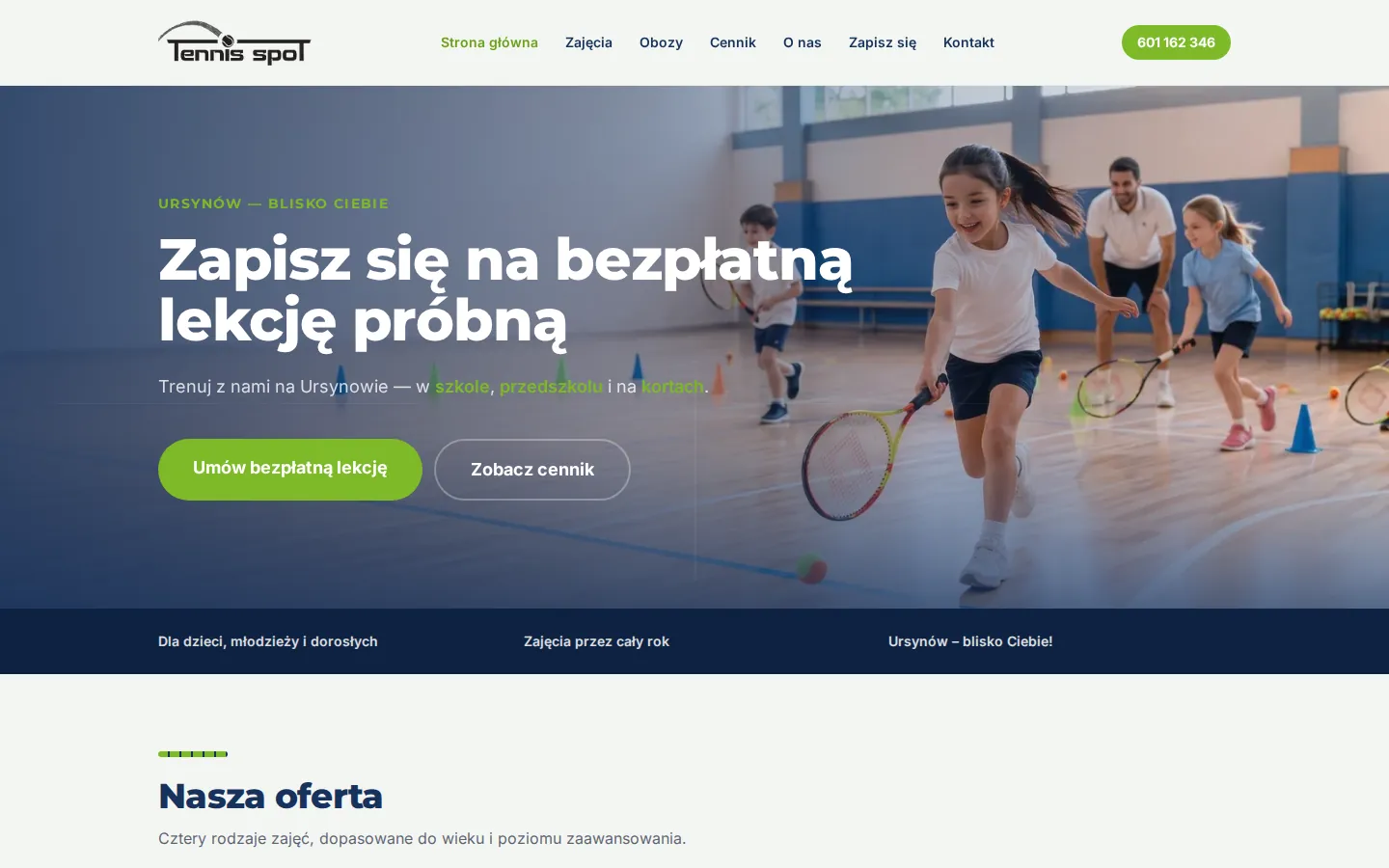
We built Tennis Spot's original site in 2022. In 2026 we came back, moved it to its new domain and replaced the plugin-heavy WordPress site with a fast static one, built from the school's own copy, with sign-up split by what the parent is booking.
- Client
- Sports school, tennis
- Status
- Live
- Service
- Empes Studio
- Scope
- Website rebuild, domain move, move off WordPress, forms and spam protection
Visit the live site: tennisspot.pl (opens in a new tab) tennisspot.pl

Problem
We built Tennis Spot’s website in 2022, on WordPress. By the summer of 2026 the school needed two things at once: a move from its old domain to the new one, and a list of changes it had written up page by page. A free trial lesson on the home page, a page per activity, a price list, camps, a sign-up page and a contact form that worked.
Very little of that list was code. Almost all of it lived in the WordPress database, inside a theme and a stack of plugins, and that made each small change expensive:
- Small edits were not small. Four lines of address in the footer needed a script that wrote a serialised theme setting on the server.
- Basic search settings were missing. There was no way to set a page description for search results.
- The contact form had been failing for weeks and had been reported twice.
- The structure had drifted. Five published pages could no longer be reached by clicking, and two pages shared one address.
- There was nowhere to try a change before visitors saw it.
Approach
First the domain move, done as a tested script that ran as a dry run by default and needed a typed confirmation to apply. The old domain now redirects permanently to the new one.
Then a decision with the school. Staying on WordPress was weighed against a static site, and the school chose the static site, with four rules:
- Content lives as files and is edited by us, with no content management system to update or secure.
- The contact form runs on the school’s own hosting. No third-party form service, and no submission leaves the server.
- Every old address that moves gets a permanent redirect to its new home.
- Only the pages the school asked for are built: seven sections, nothing speculative.
Read the diagram as text
- Before: 20 pages, 7 of them wanted, then 12 plugins, updates pending, then Content in the database, edited through the theme, then Contact form not delivering, then No preview: changes go straight live.
- the school's own list, page by page
- After: 7 sections, from the school's list, then No plugins: static pages, then Content as files, one per activity, then Contact form on the school's hosting, with bot checks, then Private preview, reviewed before going live.
Implementation
- Pages from the school’s own copy. Home, activities (four activity pages, one per venue or programme), camps, pricing, about, sign-up and contact. Adding one activity file creates its page, its card on the home page, its card on the activities page and its menu entry.
- A design taken from the school’s own material. Navy, green and orange read from the school’s “where we work” infographic, one colour per venue, with court lines, a tennis ball and a net drawn in CSS rather than images. The logo was recoloured for the dark footer without losing the ball.
- Sign-up split by what the parent is booking. The booking widget the school already uses is embedded on the sign-up page in two sections: regular classes, and a separate assessment lesson for children who already play. They are sections rather than tabs, because the widget does not draw itself inside a hidden tab.
- A pricing table that works on a phone. Real table markup, fed from one data file.
- Real camp photographs on the camps page, with alt text required for every image.
- A contact form that refuses bots. Two hidden honeypot fields, a minimum time to fill the form, a check on where the request came from, content checks and a rate limit.
- Search basics. A description on every page, canonical addresses, social sharing tags, structured data listing the three venues, a sitemap, and URLs kept in the same shape WordPress used.
- Redirects from every old address that moved, generated from one list that also drives an automated check.
- A preview before anything changed. The school reviewed the new site at a private address before it replaced the old one. Every change to the main branch is now built, checked and deployed automatically.
Read the diagram as text
- Parent: Taps the free lesson button
- Sign-up page (two sections, not tabs)
- Regular classes (school, preschool, courts). Otherwise: Already plays: the assessment lesson section
- The school's booking system (the widget it already used)
Outcome
- The new domain is live, and the old one redirects to it.
- The school’s site is now a static site with no plugins to update, served from the same hosting.
- Each page says what the school wrote for it, and changes go through a preview first.
- Parents can sign up for regular classes or book an assessment lesson from one page.
- The contact form turns away the automated submissions it used to accept.
- pages on the old site, and sections the school wanted
- 20 to 7
- old addresses with permanent redirects
- 22
- spam and bot test cases blocked; the old form let 3 kinds through
- 20 of 20
What this shows
A client’s change list is a better brief than any redesign idea. Most of what the school wanted was content, and the reason it was hard to deliver was the platform holding it. Moving the content into plain files, and the form onto a small endpoint we could test, made every later change quick and safe. Building a site is the start of the work, not the end of it.
- Stack
- Astro, Tailwind CSS, TypeScript, Zod, PHP, GitHub Actions
- Type
- Strategy + implementation
- website
- sports
- tennis
- static-site
- wordpress-migration
- forms
- spam-protection
- seo
- mobile-first